You are watching someone try to book a service on your website. They click, pause, go back, reopen the menu. They do not say a word. You know what they did, but not why: could they not find it, did they not trust it, did they misread a label? The think-aloud protocol exists for exactly this: you ask the person to say what they are thinking while they use the product, and the silence stops being a mystery.
Think aloud is a research method in which a user carries out real tasks on a product and comments out loud on what they look at, think and try to do, while a moderator observes and takes notes. In this guide I explain how it works, how the concurrent and retrospective versions differ, how to run a session with a script you can reuse, and how to analyse what you collect in your usability tests.
What you'll learn:
- What the think-aloud method is and where it comes from
- The difference between concurrent and retrospective think aloud, with a table
- When to use it and when another method is a better fit
- How to run a session: tasks, moderator script, neutral prompts, recording
- How to analyse the sessions and how many participants you need
- The most common moderator mistakes, including in remote sessions
What is the think-aloud method
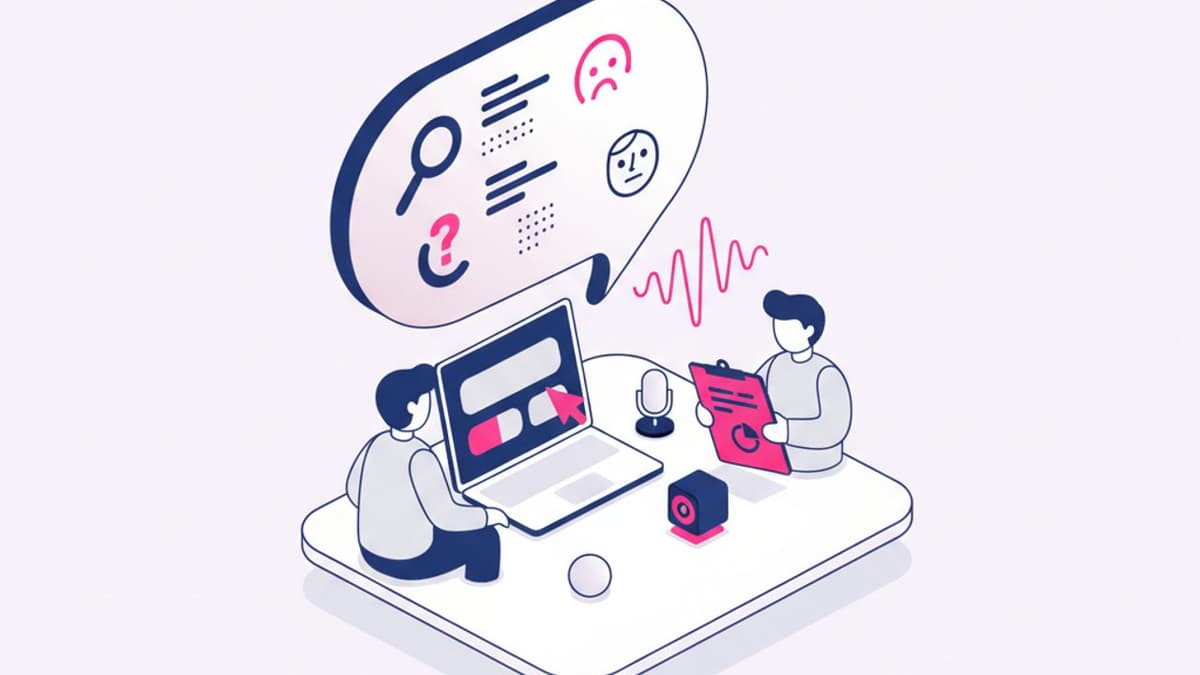
In think aloud, the person works on a task and says their thoughts as they go, without explaining or justifying them: "I'm looking for the price... I can't see it on this page... I'll try the top menu." The person running the session does not guide or comment; they listen. The result is a stream of information that observation alone cannot give you: expectations, doubts, the words users choose to describe things, and the points where they get lost.
The method comes from cognitive psychology. Almost all the literature goes back to the verbal reports described by K. Anders Ericsson and Herbert Simon in the article "Verbal reports as data", published in Psychological Review in 1980. In usability it arrived later and became simpler: in 2012 Jakob Nielsen called it "perhaps the most valuable" of usability engineering methods, and summed up the basic version in three moves: pick representative users, give them representative tasks and shut up while they work.
Inside a usability test, think aloud is not a test of its own: it is the technique that turns observation into understanding. You can use it with a Figma prototype, a website, an app or an internal tool. What matters is that the tasks are plausible for the person doing them.
Concurrent vs retrospective think aloud
There are two ways to collect thoughts, and the choice changes both the data and the risk of distorting behaviour.
In concurrent think aloud the person speaks while doing the task. In retrospective think aloud they work in silence and comment afterwards, usually while watching the recording of their own session with the moderator.
| Concurrent | Retrospective | |
|---|---|---|
| When people talk | During the task | Afterwards, watching the recording |
| Advantage | Fresh thoughts, captured as they arise | The task is done more naturally, without talking |
| Risk | Talking can weigh on the task and change behaviour | People reconstruct and rationalise, and memories fade |
| Session length | Shorter | Longer: you review all the footage |
| When to choose it | Exploratory tests, prototypes, tasks of medium complexity | Very demanding tasks, or ones where talking would get in the way, such as careful reading |
What does the research say? In a 2003 study on a library's online catalogue (van den Haak, de Jong and Schellens, published in Behaviour & Information Technology) the two methods surfaced similar sets of problems, but in different ways: the retrospective one mostly through what participants said, the concurrent one mostly through what the researcher observed. In the concurrent version, having to talk also worsened task performance. A second study by the same authors (2004) found few significant differences and concluded that, taking practicalities into account, concurrent can be preferable. In short, neither wins every time, and concurrent remains the default for most teams.
There is also a distinction in how people are asked to talk. Research by Hertzum, Hansen and Andersen (2009) compared "classic" think aloud, where the moderator only asks people to say what they think, with a "relaxed" version, where the moderator asks questions and requests explanations. According to the abstract, the classic version changed behaviour little beyond making tasks longer, while the relaxed one changed it in several ways, with more navigation and higher perceived mental workload. That is a good reason to keep the moderator out of the conversation as much as possible.
When to use it and when not to
Think aloud works well when you want to understand why people get stuck, not how often. It is the right method for:
- finding navigation, terminology and expectation problems in a prototype, even a rough one;
- understanding the mental model of the people who use the product, and how they put it into words;
- deciding what to fix before release, when changes are still cheap.
Another method is better when you need numbers or comparisons. Nielsen himself points out that think aloud is qualitative, does not support detailed statistical analysis without a large and expensive study, and does not answer every question. If you need to decide which of two versions works better, see the guide to usability and preference testing. If you want to measure times, success rates and satisfaction at scale, look at UX metrics. To check your content architecture there is tree testing, which does not require thinking out loud.
How to run a session, step by step
Preparing the tasks
Write three to five tasks, each with a scenario and without the names of buttons. Wrong: "Click Book and choose a date". Better: "You need to travel to Lisbon in mid-December. Book a seat for two people". The task describes a goal, not a route. Before you start, run a pilot session with a colleague: you will find the ambiguous tasks and how long they really take.
To recruit, start from people who actually use the product. If you do not yet have a clear idea of who they are, a data-based user persona helps you decide whom to invite. Avoid friends and colleagues: they know the context and tend to be forgiving.
The moderator script
A clear script is worth more than a lot of improvising. Here is an example you can adapt:
"Thanks for being here. Today we are testing the product, not you: there are no right or wrong answers, and if something doesn't work, it's the product's fault. I'll ask you to do a few tasks and, while you do, to say out loud everything that goes through your mind: what you're looking at, what you're looking for, what you expect, what confuses you. Even things that seem trivial. I'll stay quiet most of the time and I won't be able to help you, because I want to see how you'd find your way on your own. We're recording the screen and your voice, only so that we can analyse them. You can stop whenever you like. Any questions? Let's do a practice exercise."
The practice exercise matters: ask the person to think aloud while opening any page, for example a news site, or show a short demo video. Nielsen suggests this as a way to make clear what is expected. Talking while you work is not natural, and the person needs to have tried it before really starting.
What to say when the user goes quiet
It happens to everyone: after a few minutes of concentration, the person stops talking. This is normal and should be handled with neutral prompts that suggest neither an answer nor an action. A few examples:
- "Keep telling me what you're thinking."
- "What are you looking at now?"
- "What were you expecting to find here?" (only after the person has moved, and sparingly)
- A simple "mm-hmm", which shows you are listening without judging. Avoid "yes", "right", "good": they sound like confirmation.
If the person asks "Should I click here?", answer with a question: "What would you do if you were on your own?". Never say where to click. Nielsen warns that an untrained moderator can change the user's behaviour with these interruptions in simple, unintentional ways, and that moments when you influenced the person should be flagged and treated with caution afterwards.
Recording and taking notes
Record screen and audio (with the person's explicit consent) and, if you can, their face as well: expressions explain pauses that the voice does not. The moderator should not write much: leave the notes to an observer, who records for each task what happened, what the person said (verbatim, in quotation marks) and the level of difficulty. In a separate column, write down your own interpretations so they do not get mixed up with facts.
How to analyse the results
After each session, within a few hours, write a summary while memories are fresh. Then follow these steps:
- List the problems you observed, one per line, stated as facts: "Three out of five people can't find the price on the service page".
- Link each problem to a quote: the sentence the user said makes the problem credible to people who were not there.
- Group by theme (navigation, terminology, trust, forms) with an affinity diagram, even on sticky notes or in a shared file.
- Give each problem a severity: does it block the task, slow it down, or is it just annoying? Count how many people run into it.
- Propose a fix for the top five, and decide whether another round of testing is needed.
A very simple grid is a table with four columns: task, problem, quote, severity. You do not need a tool: a spreadsheet is enough. If you need numerical indicators alongside, such as success rate per task, use the UX metrics described in the dedicated guide, bearing in mind that with few participants they are only indications.
How many participants do you need? For qualitative research Nielsen has argued for years that about five users uncover roughly 85% of usability problems, based on a model in which the average chance of a single user running into a given problem is 31%. The same source recommends not spending everything on one big test: it is better to run several rounds of five people, fixing and repeating. The number is a guideline for qualitative studies on a fairly homogeneous product: if you have very different user segments, test more people per segment.
Think aloud remotely and in unmoderated tests
The method also works at a distance. In remote moderated tests you use a video call with screen sharing: the script is the same, but two details matter more. Check audio and connection beforehand, and if the webcam is off, ask the person to tell you when they stop to read: without the face, silences are harder to interpret.
In unmoderated tests nobody is there to prompt: the person receives written tasks and records screen and voice alone. The advantage is speed and the number of participants. The cost is that nobody can fix a misunderstood instruction or restart someone who stops. That is why tasks need to be written with even more care, and the instructions on "talking out loud" should appear at the start, with an example. If you want to compare the tools available, you will find an overview in the guide to unmoderated testing tools.
The most common moderator mistakes
- Talking too much. Every sentence you say is interference. If in doubt, wait a few seconds longer.
- Suggesting the answer. "Have you tried the top menu?" steers the person and ruins the data. Better: "What do you think you'll do now?".
- Defending the design. If the user criticises something, do not explain why it is built that way. Note it and say thank you.
- Asking for opinions instead of behaviour. "Do you like this page?" produces polite answers. Watch what they do, then ask why.
- Forgetting the practice exercise. Without an example, many participants do not know how to "think aloud".
- Ignoring your own biases. Do you see what you expect to see? It is a classic: the guide to cognitive biases explains how interpretation and confirmation errors work.
- Not marking interferences. If you gave a hint, write it down: that part of the session should be read with caution.
There is also a limit of the method to keep in mind: while talking, people may filter their thoughts and look more competent than they are. Nielsen himself lists this among the caveats. That is why what people do matters more than what they say, and the two should always be read together.
Frequently asked questions
What is thinking aloud?
It is another name for think aloud. The person carries out a task and says what they are thinking while doing it, without explaining or justifying it. In usability it is used to understand why a user gets stuck, what they expect and which words they use to describe what they see.
How many participants do you need for a think-aloud test?
For a qualitative study, the most quoted rule is Nielsen's: about five users bring out a good part of the problems, and it is better to run several small rounds than one large one. If you have very different groups of users, increase the number for each group.
Does think aloud change user behaviour?
It can, especially if the moderator intervenes a lot. In Hertzum and colleagues' 2009 study the classic version had few effects beyond lengthening tasks, while the version with questions and requests for explanations changed behaviour. To reduce the risk, use neutral prompts, talk as little as possible and mark the moments when you stepped in.
What is the difference between think aloud and a user interview?
In think aloud the person uses a product and comments in real time on what they are doing: you are observing behaviour. In an interview you talk about past experiences, habits and opinions, with no product in front of you. They are complementary: the interview gives you context and motivations, think aloud shows you where the product trips people up. For the big picture of methods, start from the user research guide.
Next steps
If you want to learn how to plan and run tests with users, from defining goals to analysis, CorsoUX's User Research course has a chapter dedicated to Testing and Validation, alongside interviews, questionnaires, personas and customer journeys. It is online and comes with mentors.
To go deeper:
- Usability testing: the general guide to methods, preparation and reporting
- Usability and preference testing: how to choose between two versions
- Unmoderated testing tools: the tools for unmoderated tests
- Usability heuristics: an expert check to do before testing with users
External sources cited: Nielsen Norman Group, Thinking Aloud: The #1 Usability Tool; Nielsen Norman Group, Why You Only Need to Test with 5 Users; van den Haak, de Jong and Schellens, 2003; Hertzum, Hansen and Andersen, 2009.