

You already have it on your PC: what Copilot really is
You open Word and a colourful icon at the top offers to write a draft. In Outlook a button appears to summarise the conversation. On a new laptop there is even a dedicated key. It is always called Copilot, but it is not always the same thing: it changes with the account you sign in with and the subscription you have.
That is the most common source of confusion. "Copilot" is the name Microsoft gives to all of its AI assistants: there is the free app, there are the features inside the Microsoft 365 consumer subscriptions, there is the business version that reads work email and documents, and there is GitHub Copilot for people who code. Knowing which one you are using tells you what it can do, what it costs and where your data ends up.
This guide puts things in order. Plans and prices were checked on Microsoft's official pages in November 2026.
What you will learn:
- What Microsoft Copilot is and which versions exist
- How much Copilot costs, what is free and what is not
- How to use it in Word, Excel, Outlook, Teams and PowerPoint, with ready-made prompts
- When to choose Copilot and when ChatGPT
- What happens to company data
In brief
- Microsoft Copilot is Microsoft's AI assistant: it chats, writes, summarises and works inside the Office apps.
- There is a free version with a Microsoft account; the features inside the Microsoft 365 consumer apps are included in the Personal, Family and Premium plans.
- At work, Copilot Chat is included at no extra cost with eligible Microsoft 365 licences; the paid add-on licence connects Copilot to your organisation's email, files and meetings.
- Copilot Pro is no longer sold: since 2025 it has been replaced by Microsoft 365 Premium.
- At work, always sign in with your work account: that is what switches on enterprise data protection.
What is Microsoft Copilot?
Microsoft Copilot is Microsoft's generative AI assistant. Like ChatGPT, it is built on large language models: it understands written requests and produces text, summaries, tables, formulas and images. On top of that, it is built into programs that millions of people use every day: Word, Excel, PowerPoint, Outlook, Teams and the Edge browser.
Copilot does not use a single model. For organisations, Microsoft's documentation explains that in automatic mode a system picks the model according to the request: a fast one for simple questions, a reasoning model for complex ones. On eligible business licences, Anthropic's Claude models are available too.
Two notes on names, because Microsoft changes them often. In business settings the official documentation now talks about Microsoft Copilot (formerly "Microsoft 365 Copilot") and Microsoft Copilot Chat (formerly "Microsoft 365 Copilot Chat"). GitHub Copilot is a different product, for writing code, and has nothing to do with office work.
Copilot versions and what they cost
Here are the versions that matter for people at work, with the US dollar prices Microsoft lists on microsoft.com/en-us in November 2026 where available.
| Version | Who it is for | Where it works | Cost |
|---|---|---|---|
| Free Copilot | Anyone with a Microsoft account | Copilot app, web, Windows, Edge | Free, with usage limits |
| Microsoft 365 Personal / Family | Individuals and families | Copilot in the Office apps, higher limits | $99.99 or $129.99 a year |
| Microsoft 365 Premium | Individuals who use AI heavily | Extended usage, agentic features | $199.99 a year |
| Copilot Chat (business) | Employees with an eligible Microsoft 365 licence | Web, Copilot app, Edge, Outlook, Teams | Included, no extra cost |
| Business Copilot licence | Companies that want AI on their own data | All apps, with access to email, files, meetings | Add-on licence per user |
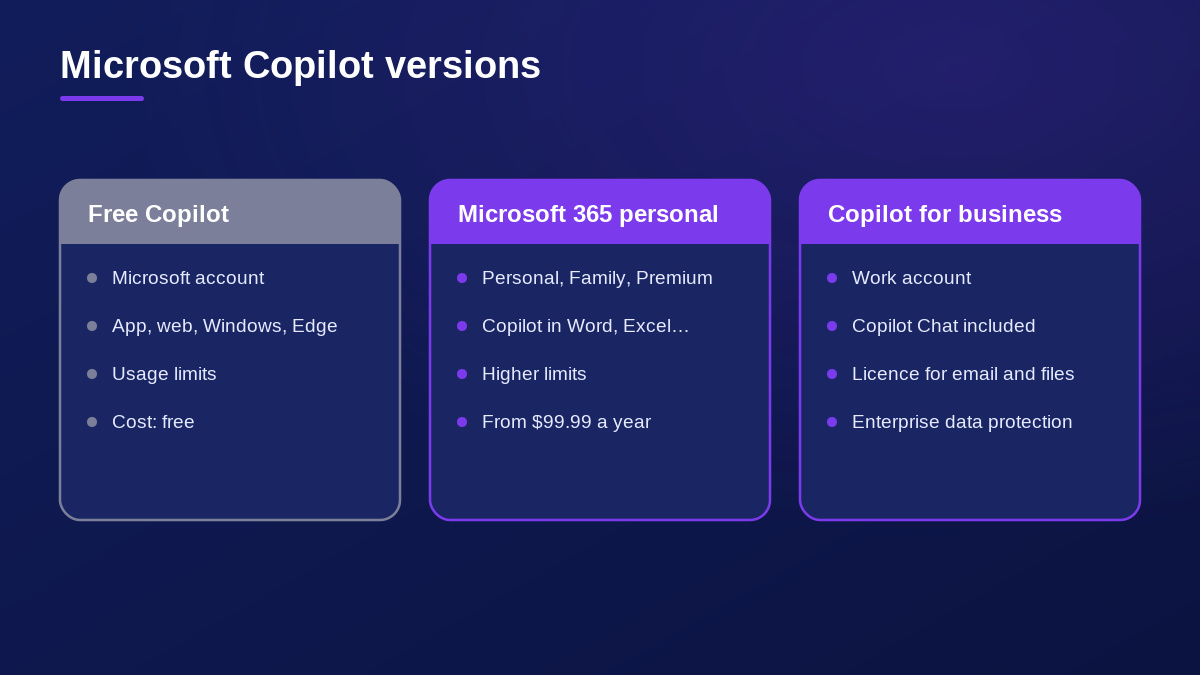
A few details the table leaves out. According to Microsoft's Microsoft 365 plan comparison page, in the consumer plans the AI features are reserved for the subscription owner: on the Family plan, the other members do not share them. Compared with Family, Premium adds extended usage and agentic features that complete tasks on your behalf. Microsoft also lists first-year promotional prices for Personal and Premium, so what you pay in the first year can be lower than the list price.
Copilot Pro is no longer on sale. Microsoft's support page says existing subscribers can keep it until they cancel, with support ending on 1 August 2026, and points to Microsoft 365 Premium as the alternative.
For businesses there are three tiers. Copilot Chat is included with eligible Microsoft 365 licences and answers using the web: if you want it to work on one of your documents, you have to upload it or have it open in Outlook or Teams. Some licences also let you use Copilot inside Word, Excel, PowerPoint and OneNote, with usage limits. The add-on Copilot licence, paid per user, connects the assistant to the organisation's data through Microsoft Graph: email, files, meetings, calendars. Business prices vary by plan and commitment length: check Microsoft's price list or ask your reseller.
How to use Copilot in Word, Excel, Outlook and PowerPoint
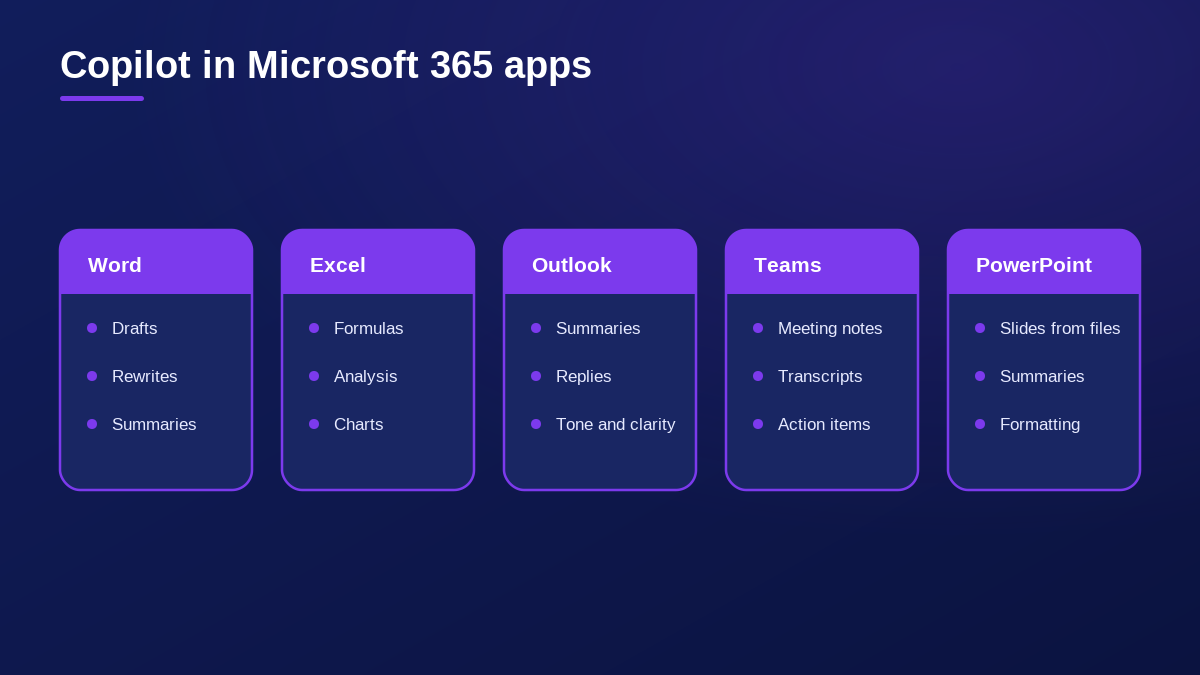
What makes Copilot different from a generic chat is that it works inside the document. You do not copy and paste: you open the file, open the Copilot pane and type your request. According to Microsoft's documentation, these are the main functions in each app.
Word: drafts and summaries
Copilot writes a first draft from a prompt or from other files, rewrites a paragraph in a different tone and summarises long documents. It works best when you give it context.
Write a draft letter to a customer whose order arrived a week late.
Professional, warm tone, 200 words maximum. Offer a 10% discount
on their next order. Leave any details you don't know
in square brackets.
Excel: formulas and analysis
In Excel, Copilot analyses data, suggests formulas, creates charts and highlights trends. It is most useful when you know what you want but cannot remember the formula.
In the Sales table, add a "Margin %" column calculated as
(Price - Cost) / Price. Then highlight in red the rows with
a margin below 15% and create a bar chart of average margin
by category. Explain the formula you used.
Always check the formula before trusting the result: it is your spreadsheet, and a mistake spreads to every cell.
Outlook and Teams: email and meeting notes
In Outlook, Copilot summarises a long thread, drafts a reply and gives suggestions on clarity and tone. In Teams it summarises and transcribes meetings and pulls out the action items.
Summarise this conversation in 5 points: decisions made,
open questions, and who needs to do what by when.
Then write a short reply that confirms the decisions
and asks Marco for the delivery date.
For meeting notes, always ask Copilot to separate what was decided from what was only discussed: that is where automatic summaries go wrong most often.
PowerPoint: from draft to slides
PowerPoint with Copilot creates a presentation from a prompt or an existing document, summarises a deck and applies changes across all the slides.
Create an 8-slide presentation from the document "Marketing Plan 2027"
for the board. One slide each for goals, budget, channels,
timeline and risks. Maximum 4 points per slide, non-technical
language. Highlight the key numbers.
Treat the result as a draft: structure and wording, yes; the message and the story remain your job.
Copilot or ChatGPT: which one to use
They are not absolute alternatives. They rely on similar technology and produce text of comparable quality for office uses. Context makes the difference.
Choose Copilot if you work in Microsoft 365 all day, if your company already has the licences and above all if you must comply with data rules: with a work account, Copilot operates within the contractual protections your company already has with Microsoft. Choose ChatGPT or Claude if you need a general-purpose assistant outside Office, or want to try features Copilot does not have.
The best choice depends on the task, not the brand.
Privacy: what happens to company data
Here the account you sign in with changes everything. Microsoft's documentation for organisations explains that Copilot Chat and the business licences benefit from Enterprise Data Protection when you sign in with your work account (Microsoft Entra): prompts and responses are covered by the same contractual commitments that apply to company email and files. For users in the European Union, traffic stays within the EU Data Boundary.
In the Copilot app you can recognise work mode by a few signals: the "Work" label under your profile and the green data-protection shield. If you sign in with a personal account, those business protections do not apply.
The practical rules are the same ones we recommend for any AI tool in the office: use only your work account for work documents, do not paste customers' or employees' personal data unless an internal rule allows it, and ask IT which version you have before uploading confidential files. If your company is drawing up usage rules, start from what the EU AI Act asks of those who use AI at work.
Common mistakes to avoid
- Mixing up the versions. The free app, Microsoft 365 for individuals and the business licence do different things with your data.
- Using a personal account for work. You lose the business protections and mix private and professional data.
- Trusting numbers without checking. Formulas and figures need verifying: Copilot can also hallucinate.
- Vague requests. "Improve this document" gives generic results; specify audience, tone, length and format.
- Publishing the draft as it is. Copilot speeds up the first draft; the review and the final decision are yours.
Frequently asked questions
How do I use Copilot?
Open the Copilot app or the Copilot pane inside Word, Excel, Outlook or PowerPoint and type your request, stating the goal, audience and format. In the Microsoft 365 apps it works directly on the open file. At work, sign in with your work account to get the data protections.
How much does Microsoft Copilot cost?
There is a free version with usage limits. For individuals, as of November 2026 Microsoft lists Microsoft 365 Personal at $99.99 a year, Family at $129.99 and Premium at $199.99, all with Copilot in the apps. At work, Copilot Chat is included with eligible Microsoft 365 licences, while the full Copilot licence is a paid add-on per user.
Is Copilot free?
Yes, the Microsoft Copilot app is free with a Microsoft account, with lower usage limits. The features inside Word, Excel and the other apps need a Microsoft 365 subscription or an eligible business licence.
What is the difference between ChatGPT and Copilot?
Both are assistants based on large language models. ChatGPT is OpenAI's general-purpose assistant; Copilot is built into the Microsoft 365 apps and, with the business licence, can use the organisation's email, files and meetings while respecting each user's permissions.
Does Copilot work in languages other than English?
Yes. You can write requests in your own language and get answers, documents and summaries back in it, both in the app and inside the Microsoft 365 apps. It still helps to state the language you want when you work on documents in more than one language.
Next step
Copilot is often the first AI tool you find already installed at work. Using it well means knowing which version you have, writing precise requests inside the right document and always checking the result before you send it.
If you want a method for using AI in everyday office tasks, EULE Institute's AI for the office course goes from emails to meeting notes, and our free AI tools course compares Copilot with ChatGPT, Claude, Gemini and NotebookLM using only the free plans. Both courses are currently taught in Italian only; the course pages describe what they cover. For the full picture, see the artificial intelligence program.